 ArchiSpark
Views
List views, create diagrams, and use the interactive canvas and validator.
Views (/views)
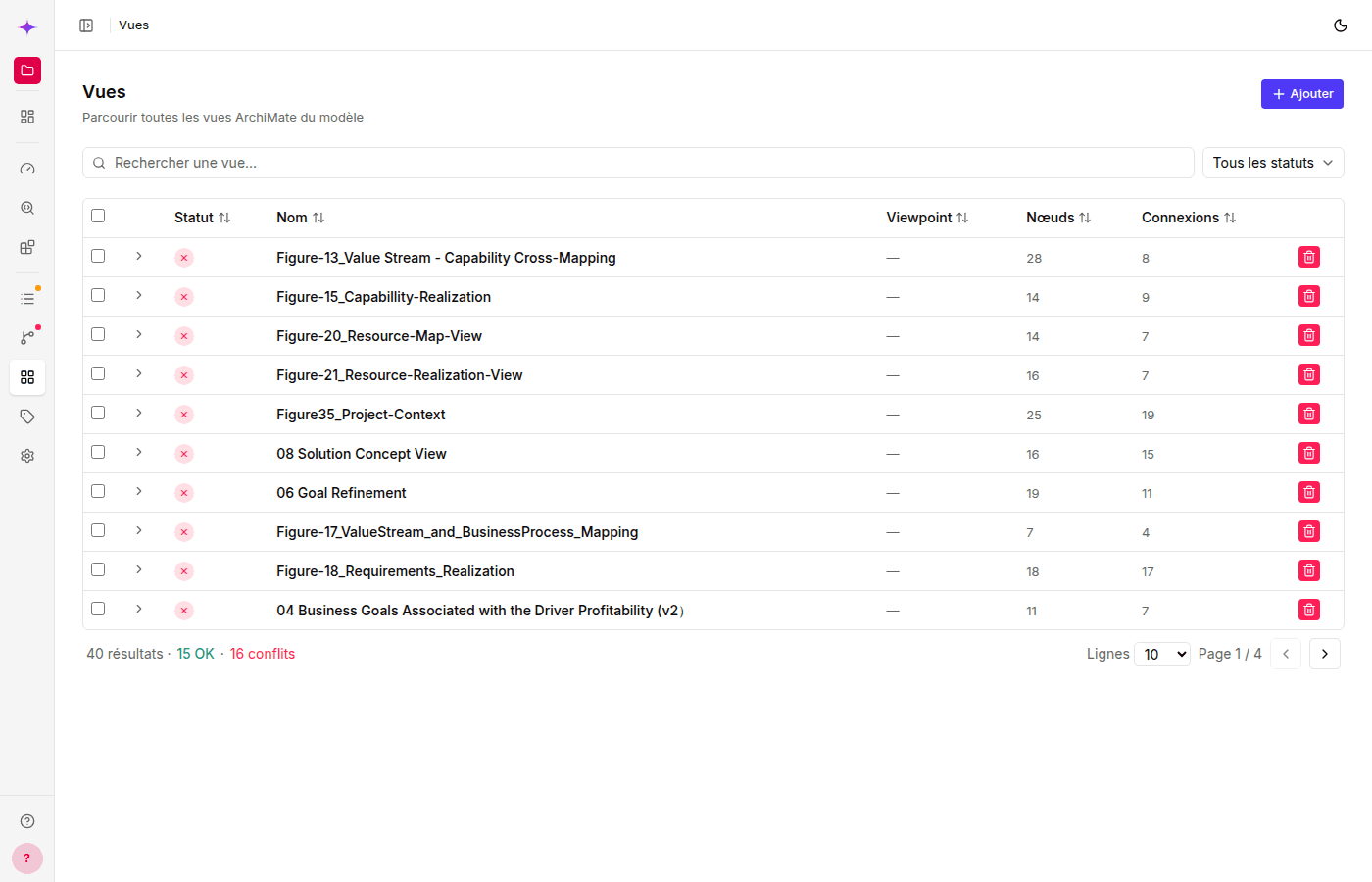
Diagram list
The table displays a status icon (✓ if all connections are valid, a warning if at least one conflicts, or — if the view has no connections), Name (clickable link), Viewpoint, Nodes, and Connections.
The filters at the top let you limit the list to All / OK / Conflicts. Expand a row to see the breakdown of valid and conflicting relationships for that view.
Click a view name to open its detail page with the interactive canvas.
Create a view
Click + New view:
- Name — required
- Viewpoint — select from 28 ArchiMate viewpoints (loaded from the API)
- Documentation — optional
Edit / delete
Use the buttons on each row.
View detail (/views/:id)
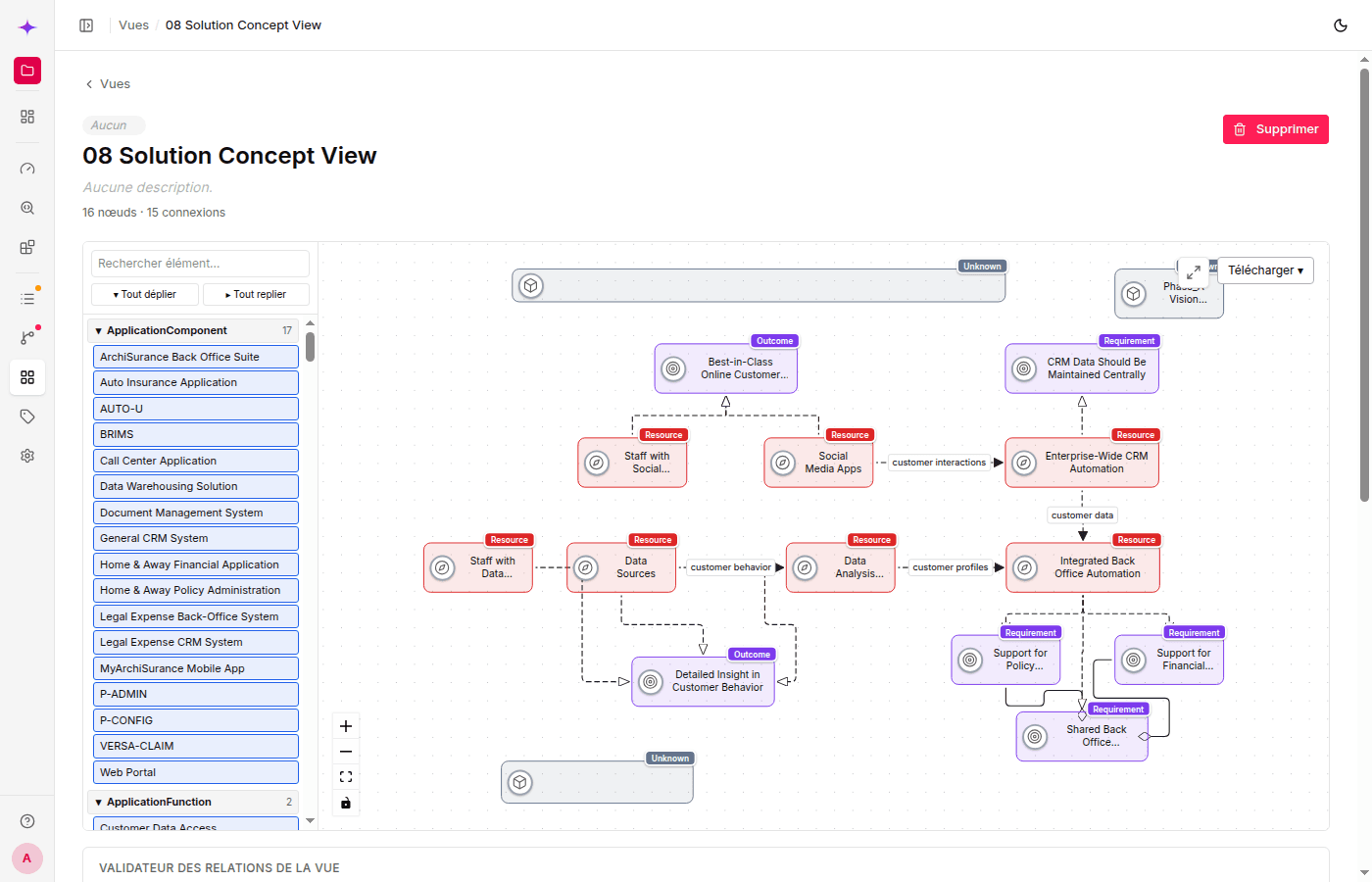
Interactive canvas
The canvas uses React Flow to display and edit the diagram.
Available interactions:
| Action | Gesture |
|---|---|
| Pan the view | Click and drag the background |
| Zoom | Mouse wheel |
| Select a node | Click it |
| Move a node | Click and drag |
| Resize a node | Corner handles |
| Add a node | Drag an element from the side panel |
| Create a connection | Click and drag from one node handle to another |
| Delete a node | Select → Delete key |
| Delete a connection | Select → Delete key |
| Fit the view | Control buttons (bottom left) |
Nodes and styles:
- Nodes are colored by ArchiMate layer
- Shapes follow ArchiMate notation (hexagon = Function, chevron = Event, pill = Service, and so on)
- Connections use orthogonal routing with standard relationship markers (diamond = Composition, open arrowhead = Realization, and so on)
Export the canvas: The Download PNG button (bottom right) exports the
canvas as displayed using html-to-image.
Editing the canvas (moving/resizing nodes, adding elements, and creating or deleting connections), as well as renaming the view, editing its documentation/viewpoint, and deleting it, requires write access.
Validator display
Below the canvas, a Validator panel lists every relationship rendered as a connection in the view, with its ArchiMate compliance status (✓ / conflict), source, and target. This is the same table as on the Relationships page, filtered to the connections in this view — use it to check a diagram before sharing it.
The former
/validatorroute still exists for backward compatibility and redirects to/views— the validator itself now lives on each view's detail page, as described above.