 ArchiSpark
Relationships
List, validate, create, edit, and delete ArchiMate relationships.
Relationships (/relationships)
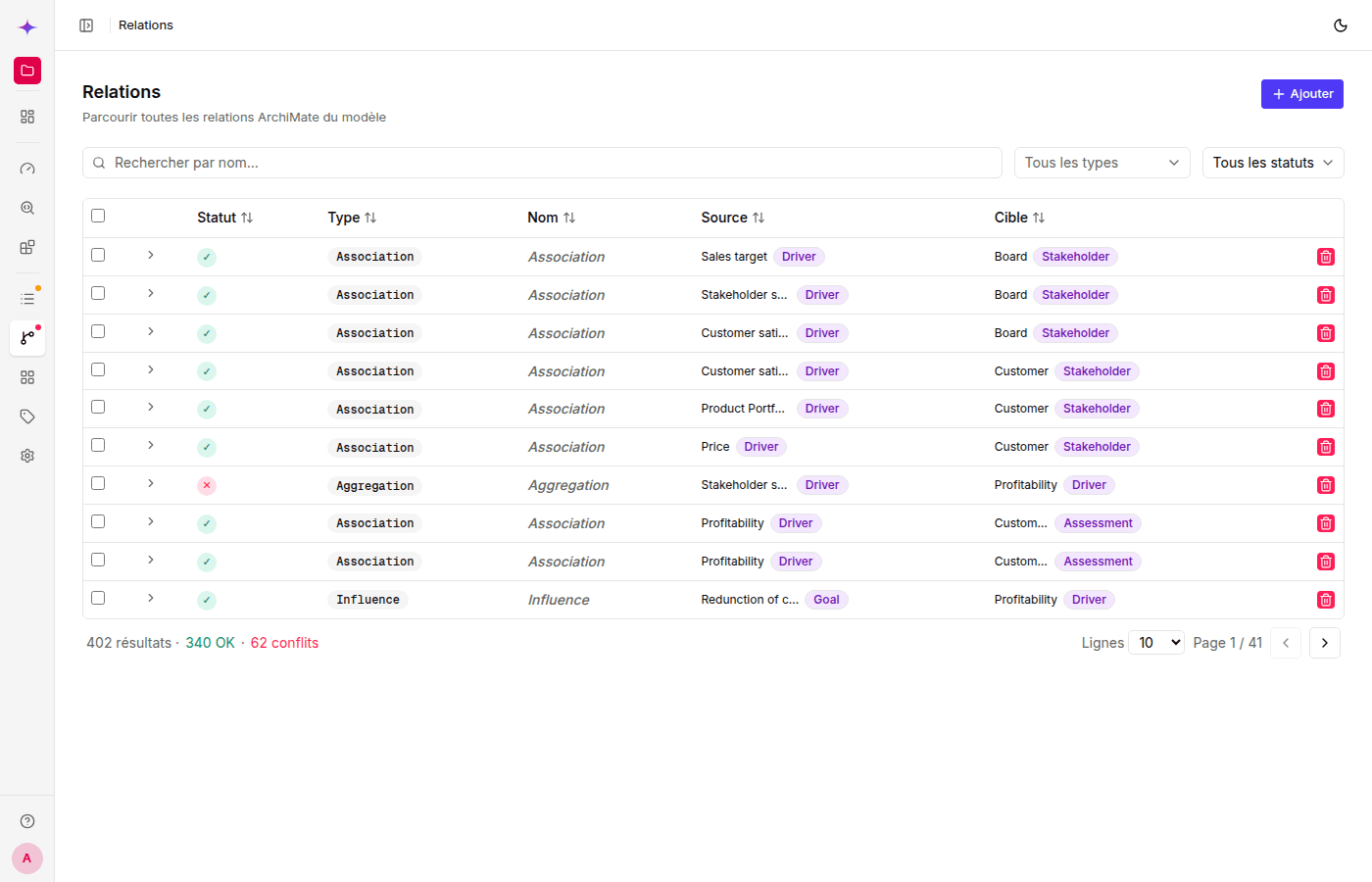
List and filters
The table displays: ArchiMate status (✓ OK or conflict), Type, Name, Source, and Target.
Available filters:
- Name search — 300 ms debounce
- Type selector — filters by relationship type
- Status filters: All / OK / Conflicts
ArchiMate validation
Each relationship is validated against the ArchiMate 3.1 compatibility rules. A green icon (✓) indicates an allowed relationship; conflicts are shown in red.
Click the expand icon at the start of a row to expand the details: the relationship type between the two element types is explained, and allowed alternatives are suggested when there is a conflict.
Create a relationship
Click + New relationship:
- Type — required (11 ArchiMate relationship types)
- Source — source element (choose from all elements)
- Target — target element
- Name — optional
- Documentation — optional
- Properties — optional
- Special fields by type:
Access→ Access type: Read / Write / ReadWrite / AccessAssociation→ Directed: yes/noInfluence→ Strength:+,++,-,--
Edit / delete
Use the buttons on the right of each row.